
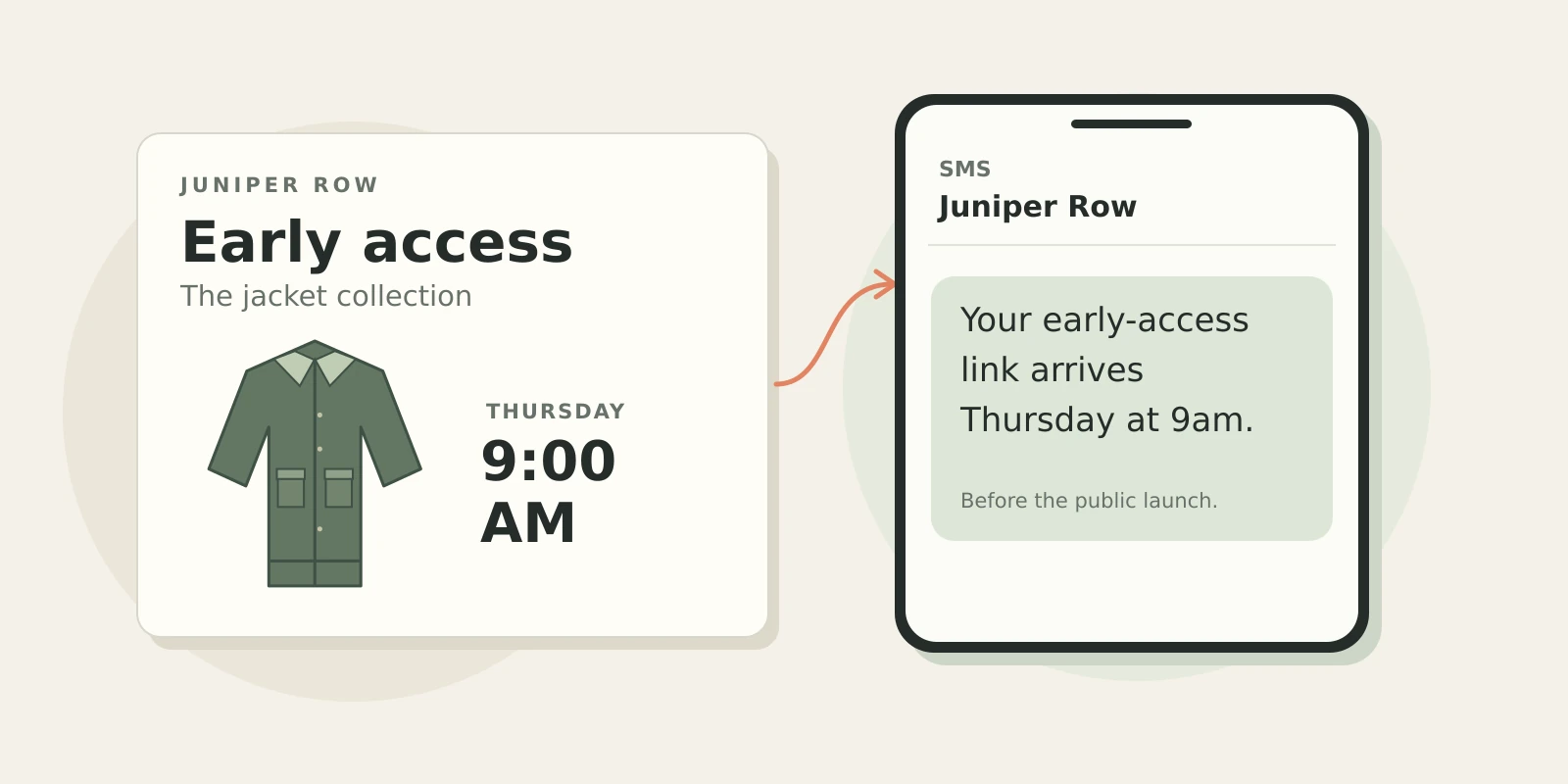


A shopper who wants a jacket in their size has a reason to ask for a restock text. Someone waiting for your next collection might want the link before it goes public. Neither needs a coupon to make the offer useful.
To grow your SMS list without discounts, offer a text worth receiving and follow through. Send the guide you offered, or tell subscribers when their early-access link will arrive. The first text should fulfill the promise that earned the signup.
Test that offer with your own audience. A coupon and an early-access invitation give shoppers different reasons to join; neither is a universal winner.
Give shoppers a real head start
For a limited collection, getting to shop before public release can be the benefit itself. “Get the collection link before the public launch” explains the offer more clearly than “Join our VIP list.”
Take Juniper Row, a fictional apparel brand launching a limited run of waxed cotton jackets on Friday. The team plans to text subscribers the link on Thursday morning. Its signup form now has something specific to offer: a day to shop before public release.

Early shopping and an inventory reservation are different offers. Juniper Row is giving subscribers a chance to buy first, without holding a jacket for them. Its signup form should make that clear.
In TxtCart, Juniper Row sets the form’s reward to no discount and writes a welcome that confirms the launch timing. The team arranges early access to the collection, then sends the link in the launch text. The form and messages don’t reserve stock or gate the collection.
If your release schedule gives shoppers no useful head start, look at what else they ask you for.
Offer the product alert someone came looking for
A shopper looking at a sold-out medium wants to know when that size is available. “Want a text when this size is back?” answers the question in front of them. Use a signup that records the jacket and size, then check that your alert setup receives both details.
Ask separately if you also want to send launch announcements. A shopper requesting one restock alert has agreed to that alert, not your wider marketing program.
With TxtCart’s Back in Stock trigger, you can start a flow, an automated text or sequence of texts. You’ll still need to confirm how your store captures size requests before offering that signup.
Give people something useful to keep
After buying a waxed cotton jacket, a shopper has a different question: how do I care for it?
Juniper Row could offer its care guide by text, sending a link the shopper can return to later. “Get our waxed jacket care guide by text” explains the exchange. A hosted signup form gives the store a page to share, and the first message delivers the guide.
Answer care questions whether or not the customer subscribes. Then offer the guide, with an explicit choice about any future marketing texts. If you’re offering a conversation as well as content, promise only the service your team is ready to deliver.
Here’s how the three offers fit the shopper’s situation:
| Shopper situation | Benefit | Where to ask | First follow-through | What to measure |
| Limited collection | Early-access link | Targeted form or email invitation | Confirm when the link arrives | New subscribers per eligible exposure; later engagement |
| Sold-out size | Requested product alert | Product-interest signup | Confirm the alert and its scope | Completed alert signups, separate from general marketing |
| Needs care advice | Care guide | Packaging QR or hosted form | Deliver guide; separate recurring marketing choice | New subscribers, guide engagement and cohort opt-outs |
Let the form explain the offer
Once you’ve chosen the benefit, carry it through the form. A headline offering early access should lead to a confirmation that explains when the link arrives. A care-guide invitation should lead to the guide.
A discount-led image beside a care-guide offer sends conflicting messages. Keep the artwork consistent with the benefit. On your phone, check that the form is easy to read and close, and that it doesn’t collide with your email popup.
Use TxtCart signup forms to collect email, SMS or both. Display rules let you choose whether existing subscribers see the form, and you can select single or double opt-in, where the shopper confirms a second time.
Email and phone fields can appear in separate steps and in different orders. Test the sequence with your audience while keeping the choices distinct. Typing a number into an email signup form doesn’t, on its own, communicate agreement to receive marketing texts.
TxtCart supports tests of up to four form variants, subject to your plan. Compare versions with similar audiences. For other collection routes, see SMS opt-in methods.
Make checkout marketing permission a separate choice
At checkout, shoppers may already be giving you a number for delivery. Invite them to receive marketing texts through an optional choice that explains what you’ll send.
For the jacket store, “Text me early access to new collections” describes the promotional benefit. Calling the same subscription “shipping updates” would set the wrong expectation.
Customers choose SMS marketing through an unchecked box, independently of order-confirmation texts (see Shopify’s checkout form options). Shopify saves their preference when they submit checkout.
Keep checkout marketing optional. The Twilio Messaging Policy requires consent for each sender and message subject. An inbound support conversation doesn’t provide consent for recurring marketing.
For the wider rules, see our SMS marketing compliance guide.
TxtCart’s checkout setup guide covers implementation.
Give email readers a reason to add SMS
Juniper Row could send its lookbook by email and offer the early-access link by text. The email then has a specific invitation: sign up for SMS if you want the collection link before public release. A hosted form gives readers somewhere to make that choice.
Share the offer in a social post, profile or ad too. Link to the signup page or give shoppers a keyword, a short word they text to your number to subscribe.
Email permission doesn’t carry over to SMS. Neither does a past order or a phone number imported from another tool. Before moving contacts, establish valid SMS permission and check how unsubscribes and suppressions will be handled.
For referrals, let customers share the signup link. Their friends can decide whether to join; a customer handing over a friend’s number can’t make that decision for them.
Put QR codes and keywords beside the benefit
Packaging, retail signs and events give you places to invite shoppers beyond the storefront. Explain the offer beside the code so someone knows why to scan.
Juniper Row has two places to promote these offers: the care guide on its jacket packaging and the next collection on a retail sign. For the latter, “Text DROPS to [Brand number] for early-access launch texts” gives shoppers an action to take. Include the subscription disclosures and policy links beside the signup instructions.
With a TxtCart keyword-linked QR code, scanning opens the messaging app with the keyword prepared. The shopper still sends the text. A scan alone doesn’t subscribe anyone.
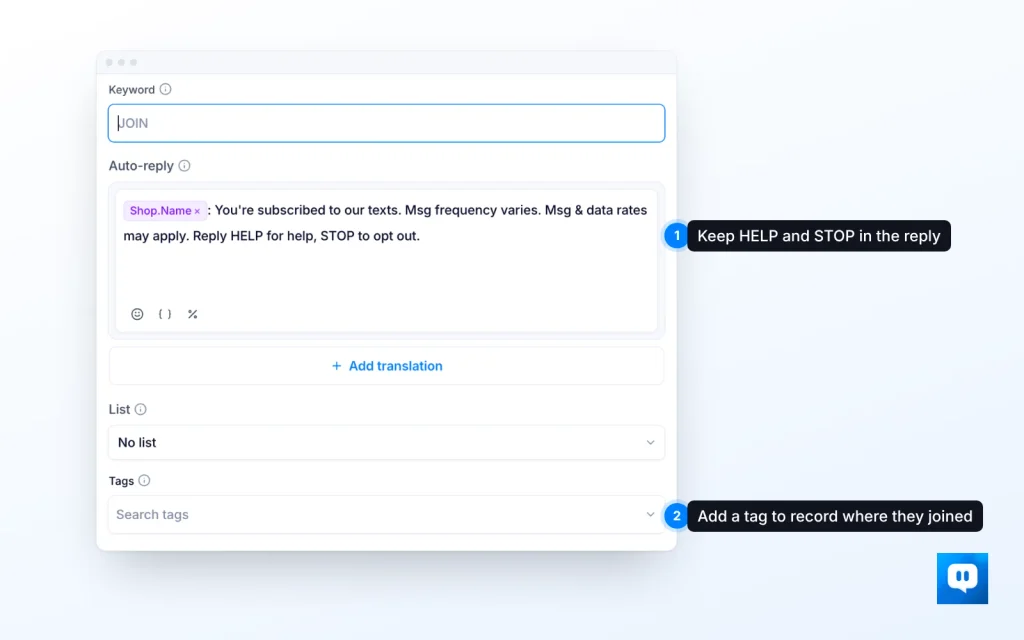
Configure the keyword’s auto-reply and assign a list or tags to record where people joined. Keep the store name, message frequency, rates disclosure and HELP/STOP instructions in the reply.
Before printing packaging or signs, test the complete route on a phone: scan the code, send the prepared text and read the reply. Use the keyword setup guide to configure it. Keywords and QR Codes are listed under Growth and above on the pricing page.
Existing subscribers also receive the keyword’s list or tags when they text it. Exclude them when counting new subscribers.
Write the welcome before launching the invitation
A guide signup calls for a message with the guide link. An early-access signup calls for a message telling subscribers when they can shop.
Juniper Row’s exchange would read:
Shopper: DROPS
Juniper Row: You’re subscribed to early-access texts from Juniper Row about new collections. Your link to the jacket collection arrives Thursday at 9am, before the public release. Msg frequency varies. Msg and data rates may apply. Reply HELP for help or STOP to opt out.
This sample shows the sequence. Include the consent wording, disclosures and policy links in the invitation before someone signs up; the confirmation alone doesn’t obtain that consent.
Send the welcome through a TxtCart keyword auto-reply or a Subscriber Joined flow, which starts when a new subscriber joins. Test the route so shoppers receive one intended welcome rather than overlapping messages.
From there, the rest of the SMS welcome series should follow what they chose to receive. There’s no need to add a coupon just because the first text is a welcome.
Check how many new subscribers stay
Form submissions can include duplicates, people already subscribed and signups awaiting confirmation. Count unique people who are newly eligible for marketing SMS under valid, recorded consent. Track re-subscriptions separately from first-time acquisition.
Two measures help you compare collection points:
Placement opt-in conversion rate = (unique new consented SMS subscribers attributed to a placement ÷ unique eligible exposures to that placement) × 100.
Net SMS list growth rate = ((new valid consented subscribers – SMS marketing opt-outs) ÷ starting active consented list) × 100.
Choose one exposure unit, visitors, sessions or form views, and use it consistently. Calculate net growth over the same period for every input. Report re-subscriptions, invalid removals and other suppressions alongside it.
Consider two forms, each shown to 1,000 comparable eligible new visitors. These figures are illustrative:
| Illustrative result | Form A | Form B |
| Eligible new visitors | 1,000 | 1,000 |
| Submissions | 100 (10%) | 80 (8%) |
| New consented subscribers | 60 (6%) | 64 (6.4%) |
| Opt-outs in the same follow-up period | 12 | 4 |
| Subscribers remaining, before other removals | 48 | 60 |
Form A gets more submissions, but B brings in more new consented subscribers and retains more of them over the same follow-up period, ignoring other removals. A report focused on submissions would favor A.
These invented numbers show what to compare, not a statistically significant result or expected lift. Use comparable audiences and follow-up windows when reviewing your own confirmation completion, early opt-outs and engagement.
Check what TxtCart counts in its submission and subscriber reports before comparing those figures. TxtCart attributes orders to forms or keywords; attribution doesn’t prove that the signup method caused the purchase. See SMS marketing metrics for help reading the results.
Common SMS Growth list questions
Can I grow an SMS list without offering a discount?
Yes. Early access, a requested product alert or useful guidance can give someone a reason to subscribe. Choose a benefit your store can deliver and test how it performs with your audience.
Can I text people who already gave me their number or email?
No, not on the strength of those details alone. Ask them to opt in to marketing texts; a delivery number or email subscription doesn’t give you that permission.
Does scanning a QR code subscribe someone?
No. TxtCart’s keyword-linked QR opens a prepared text that the shopper still sends. Explain the subscription and include consent information beside the invitation before they act.
Do SMS subscribers always need to confirm twice?
No. TxtCart forms support single or double opt-in. Choose the route required for your signup method, market and provider, and count a signup as complete only after any required confirmation.
Why are form submissions higher than new subscriber numbers?
Submissions may include duplicates, existing subscribers or people who haven’t completed confirmation. Check the report definitions and compare unique new consented subscribers over the same period.
Start with an offer you can follow through on
For Juniper Row, the first test is manageable: one collection, an invitation to shop early and a welcome that says when the link arrives. The launch text delivers it. The team can then see how many new subscribers joined and what happened after signup before expanding to other placements.
TxtCart List Growth brings together signup forms, keywords and linked QR codes, with welcome messaging to follow the signup. If you want help planning that path for your Shopify store, Talk to sales.